
|

|

|

|

|

|

|

|

|

|

|

|

|

|

|
|
|

|

|

|

|

|

|

|

|

|

|
|
|

|

|

|
 |
|
|
|
|
Mailing List
|
|
By Joining the mailing list you will be notified of site updates.
|
|
Show Your Support For
This Site By Donating:
|
|
|
|
|


|
|
|
|
Audience: System Admins - Experts
Last Updated: 5/28/2005 2:17:12 PM
Original Creation Date: 3/11/2005 6:06:10 AM
**All times are EST**
|
|

mySQL server on RHEL3
By Erik Rodriguez
This article describes how to install mySQL server on RHEL3 (Red Hat Enterprise Linux).
Problem
When you first install RHEL3, you may notice that even if you selected all the mySQL packages, SQL server (mysqld) is not there. Why Red Hat chose to do this in version 3, I have no idea?
If you try to install mySQL server manually, you may run into trouble because RHEL uses a special build of mySQL. In order for the install to be successful, the versions must match. Now, if you choose not to install any mySQL packages initially, you can fetch the whole SQL package from mysql.com The easiest way to fix the problem is to login to the redhat network, and add your system to the "extra's" channel. This will allow you to schedule mySQL server for installation. Next time your server checks in with redhat, the package will be installed. See the images below:
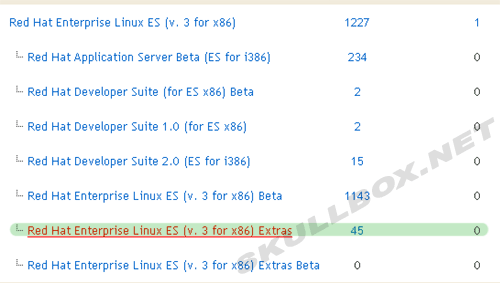
As you can see above, there are many channels to choose from. Make sure you select the right version (2.1, 3, or 4).

Once you click on the extras channel, you will see a page giving you a description of the channel. Notice the number of packages.
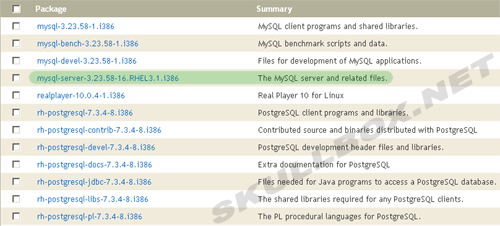
You can browse through the packages as you wish. Notice the mySQL server package.
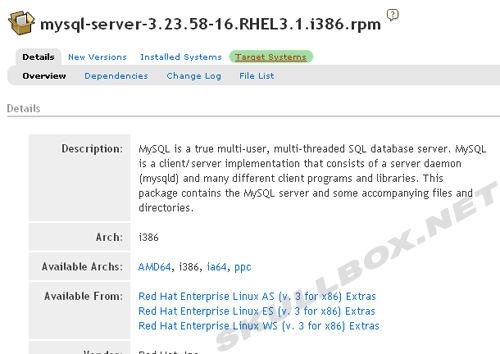
There are 3 ways to install this package. First, you can download the RPM file and install it manually. Second, you can download the SRPM and compile the package yourself. Last, you can have the RHN install it the next time your system checks in. As you can see above, simply select target systems, and your list of servers will be presented in which you can select any servers that apply. Don't forget to confirm the install after you select your target server(s)!
|
|
|
|
|


